How to Track Forex Card Balance and Statements (2026 Guide)

Introduction
A forex card is essentially a prepaid foreign currency wallet, and like any wallet, it works far better when you actually keep an eye on it.
The trouble is that most travellers load the card, zip it into a pocket, and stop thinking about it until they swipe it abroad. That habit is exactly what this guide wants to gently change.
A few small tracking habits will save you almost every kind of problem people run into with a forex card. We will go through what to set up before the trip, what to watch during it, and how to use your statements properly when you come back home.
How to set up your forex card before international travel
Most issues with forex cards can be prevented by spending five minutes on a few simple things before you fly.
The first is the mobile app. Every major Indian forex card issuer offers one, and it is essentially the only thing you need for live balance, transaction history, top-ups, and disputes. Install the app, log in with your registered mobile number, and make sure the OTP comes through cleanly, because you will need it for any in-app action during your trip.
Once you are in, open the app and confirm that the live balance matches what you loaded.
The second is transaction notifications, and you actually want them on in two places at once. Switch on SMS notifications to your registered mobile number, since they reach you without needing internet. And switch on push notifications in the app itself, which are usually faster and carry more detail.
Most issuers default both of these to on, but it is worth checking the settings before you fly. If either is off, you lose the early warning if something goes wrong.
The third is a low-balance alert. Most apps let you set a threshold, say roughly 20 per cent of the loaded amount, and when your balance drops below it, you get a heads-up. Useful on longer trips, where you might not be checking the app every day.
The fourth is the issuer's 24-hour emergency helpline.
Save it in your phone contacts, email it to yourself, and if you can, write it on a slip of paper kept separately from the card. The number is printed on the back of the card too, but that is no help at all if the card has been lost.
How to check your forex card balance in real time abroad
Once you are abroad, the app does most of the work.
You should be able to open it any time and see the current balance in each loaded currency, separately rather than as a single converted total.
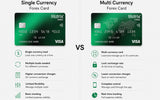
On a multi-currency card, this distinction matters more than people realise. If you have loaded euros, US dollars, and pounds, the app will show each balance on its own. The card automatically pays from the matching currency when you swipe, so a euro purchase comes out of the euro balance, and so on.
Quick habit: open the app every couple of days, look at each currency pocket, and confirm the spending matches what you expect.
Catching fraud: the notification mismatch test
The single most useful real-time signal is a transaction notification that does not match a transaction you made.
If your phone pings with an alert for a 200-dollar charge at a restaurant in Paris while you are sitting in Bangkok, that is the moment to act, not later.
Block the card immediately through the emergency helpline. Raise a dispute on the transaction in the app or by phone. The faster you do this, the cleaner the dispute usually goes.
Tracking multi-currency wallets pocket by pocket
On a multi-currency card, currency-pocket exhaustion is worth watching for separately.
If you run out of, say, euros and continue spending in Europe, the card cross-converts from another loaded currency to pay the bill, and that cross-conversion carries a small markup on each transaction.
The app will sometimes flag this clearly, sometimes only show your total balance. So for a multi-country trip it is worth checking each currency wallet separately rather than just glancing at the headline number.
And if you are running low mid-trip, you do not need to wait until you land back home. Almost every modern card allows a top-up from India through the app, which usually shows up on the card within a few hours on a working day. A family member can also do this for you from their own account if needed.
How to download your forex card statement after the trip
Once you are back home, take a few minutes to download your card statement. It is not glamorous, but it matters for three real reasons.
The first is reconciliation. For business travellers, the statement is the supporting document for company expense reports. For families, it helps with cost allocation across the trip.
The second is tax records. The statement and your TCS certificate together document your LRS remittance for the financial year.
The third is the dispute window. Sometimes unauthorised charges only show up days or weeks after the trip, and the statement is your definitive record for raising those disputes within the time limit.
How to actually download it is straightforward.
Open the issuer's app or web portal, find the transaction history or statements section, choose the date range, pick a format like PDF for reading or Excel for analysis, and download. The statement will list every transaction with date, time, amount in the foreign currency, the rupee equivalent, the exchange rate used at the time, the merchant name and location, and any fees applied.
Save the file somewhere you will find it again at tax time.
Forex card TCS certificate: why Form 27D matters at tax filing
If your forex card load during the year crossed the TCS threshold, your provider should issue you a TCS certificate, formally called Form 27D.
The current rules apply once your LRS spend goes above 10 lakh in a financial year, with 20 per cent on the part above for general purposes like travel, 2 per cent for self-funded education or medical, and zero per cent for education funded by a recognised Section 80E loan.
Here is the part worth getting right.
TCS is not a tax you lose. It is advance income tax collected at the moment of the load and reported against your PAN. When you file your annual return, the TCS amount is credited against your total tax for the year, and if you owe nothing it comes back to you as a refund.
The Form 27D from your provider is your proof of this. Most issuers email it out within a couple of weeks of the remittance. If it has not arrived, ask for it. A missing certificate at filing time means a missed refund.
How to dispute an unauthorised transaction on a forex card
You raise a dispute when a transaction on your statement is one you did not authorise, you did not actually receive the goods or services, or the amount charged is different from what was agreed.
Common examples include duplicate charges, unfamiliar merchant names, services that never arrived, or charges from after a card was lost or stolen.
Most providers let you raise a dispute directly through the app, or by phone if you prefer. You provide the transaction details, the reason for the dispute, any supporting paperwork like a police report for a stolen card or emails with the merchant for a non-delivery, and your contact details for follow-up.
The provider then raises a chargeback against the merchant or the card network.
The disputed amount is usually credited back provisionally to your card while the investigation runs, which typically takes a month or two. If the merchant cannot defend the charge, the credit becomes permanent. If they can, the provisional credit is reversed.
One thing to remember: card networks impose a dispute window, usually around 60 to 120 days from the transaction date, depending on the reason. Disputes raised after the window has closed are usually rejected regardless of merit.
This is exactly why downloading the statement within a few weeks of getting home is worth the few minutes it takes.
Red flags to watch for on a forex card statement
A few small things on a statement deserve a second look.
The first is a transaction that has no matching notification, which can mean either your notification settings were off, or simply that the merchant batched the charge a little later. Worth investigating but not always alarming.
The second is a notification for a transaction you do not recognise. That is the clearest fraud signal there is, and calls for immediate blocking and a dispute.
The third is a balance that does not seem to match what should be left after recent transactions. This is often a pre-authorisation hold, a temporary block placed by hotels, car rentals, or petrol stations that drops off within a few working days.
The fourth is an unfamiliar merchant name. Some legitimate businesses bill under a corporate name rather than their brand, so a quick search before disputing usually clears it up.
There may also be small fees on the statement that are not tied to a specific transaction, such as ATM withdrawal fees, an inactivity fee if a card has been unused for a long stretch, a reload fee, a refund fee for converting unused balance back to rupees, or a cross-currency fee if you spent in a currency you had not loaded.
Most of these are disclosed in the card terms upfront, though not everyone remembers them at the time. If a charge appears that you cannot identify, customer support can explain it.
A real example: catching a fraud mid-trip
Imagine Karan is on a three-week trip across Singapore, Bangkok, and Bali. He has a multi-currency card loaded with Singapore dollars, Thai baht, and US dollars.
In the first leg, in Singapore, he sees a transaction notification for an amount in baht while he is still in Singapore.
Which makes no sense.
He opens the app, sees that the charge has gone through, and immediately calls the issuer to block the card. They block it within minutes, raise a dispute on the baht transaction, and arrange a replacement to be delivered before he lands in Bangkok.
The provisional credit appears on the replacement card while the dispute is being investigated. A few weeks later, after he is back home, the credit becomes permanent because the merchant could not defend the charge.
The whole thing turned into a one-hour inconvenience instead of a trip-ending crisis, simply because his notifications were on and he acted at the moment of the first ping.
Putting It All Together
A forex card you cannot see is a forex card at risk.
Five minutes of setup before you fly, the app installed, both SMS and push notifications on, a low-balance alert set, and the emergency helpline saved offline, will prevent most of the problems travellers ever raise with their cards.
During the trip, the notifications catch unauthorised use within minutes. After the trip, downloading the statement and collecting Form 27D ties up the tax side cleanly.
Together, these small habits turn the card from a black box you swipe blindly into a tool you actually control.
Frequently asked questions
How can I check my forex card balance in real time while abroad?
Through your issuer's mobile app, which shows the live balance in each loaded currency separately. Install it before you travel and log in with your registered mobile number. If your data is patchy, most issuers also offer an SMS-based balance check that works without internet.
How do I download my forex card statement after the trip?
In your issuer's app or web portal, find the transaction history or statements section, pick a date range like the trip dates or the full financial year, choose PDF or Excel as the format, and download. The statement lists each transaction with the date, time, foreign currency amount, rupee equivalent, exchange rate, merchant details, and any fees.
What is the TCS certificate and why do I need it for tax filing?
It is Form 27D, your proof that TCS was collected against your PAN when your forex spend crossed the threshold. You enter the figure from this certificate when filing your income tax return, and the TCS gets credited against your total tax, refundable if you do not owe anything. Issuers usually email it within a couple of weeks. If you do not see it, ask.
How quickly should I get a notification when my card is used abroad?
Within seconds to a few minutes. Switch on both SMS and push notifications before you travel. If you start seeing notifications arriving 30 minutes or more late, raise it with customer support, since slow notifications reduce your ability to catch fraud quickly.
How do I dispute an unauthorised transaction on my forex card?
Through the dispute flow in your issuer's app or by phone, within the card network's dispute window, which is usually 60 to 120 days from the transaction date. Provide the transaction details, the reason, and any supporting documents like a police report for a stolen card. The provider raises a chargeback and usually provisionally credits the disputed amount while the investigation runs.
Why does my forex card balance look wrong after a hotel check-in or a petrol stop?
Almost always a pre-authorisation hold. Hotels, car rentals, and petrol stations place a temporary block on a portion of your balance to ensure funds are available, and the unused part drops off within a few working days once the actual transaction settles. If a hold lingers beyond a week, raise it with support.
Can I see balances pocket by pocket on a multi-currency card?
Yes. A good app shows the balance in each loaded currency separately rather than as one converted total. This is important, because spending in a specific currency draws from that wallet, and if it runs empty, the card cross-converts from another at a small markup. Worth checking each pocket on a multi-country trip.
How long is the dispute window for forex card transactions?
Usually 60 to 120 days from the transaction date, depending on the type of dispute and the card network. Unauthorised use disputes have shorter windows, while service quality or non-delivery disputes are sometimes longer. Disputes raised after the window are generally rejected, which is why reviewing your statement within a few weeks of getting home matters. Established issuers like Matrix Forex, which serves over two and a half lakh customers across India, will walk you through the dispute flow on a phone call if the app feels confusing.
Same-day delivery · RBI-authorised · No hidden charges
Get Free Callback →More from the Blog