US Dollar
 Euro
Euro British Pound
 UAE Dirham
 Australian Dollar
 Singapore Dollar
How to Reload a Forex Card Online: A Step-by-Step Guide for 2026

Introduction
It happens to almost every Indian traveller at some point.
You are abroad, halfway through your trip, you check the balance on your forex card, and it is much lower than you thought. Or you are sitting in your office in Mumbai planning your next holiday and you want to top up the same card without going through the trouble of buying a new one.
Either way, the answer is the same.
With the Matrix Forex Card, a reload is arranged through the branch, and it is quick. You, or a family member in India acting for you, contact the branch with the amount and currency you want added, and the top-up usually reflects within about an hour during working hours. We will walk through how it works, the documents you need handy, how long it takes, and the small things that occasionally go wrong, so you can keep your card topped up whether you are at home in India or abroad.
Why reload an existing forex card instead of buying a new card?
This is a fair question to start with.
Reloading an existing card is faster, since the card already has your details on it and you do not need fresh KYC each time. It is also cheaper, since you skip the issue and delivery fees that come with a brand-new card. It keeps your entire spending history in one place, which is useful at tax time.
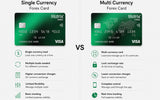
And on a multi-currency card you can simply add money to a different currency wallet without buying anything new, just by selecting the currency you need.
So unless your card has expired or is damaged, reloading is almost always the better choice.
When does reloading a forex card make sense?
A few common situations come up again and again.
The most obvious is when you are running low on the currency loaded on your card while you are abroad and you still have days of spending to go. Another is when your trip turns out to be longer than you planned, and the initial load is not enough.
Sometimes you want to lock in today's rate before you think it might worsen, even if you do not need to spend the money immediately. Sometimes a family member abroad has asked for a top-up. And sometimes you simply want to switch some of your existing balance from one currency wallet to another, which is also done through the reload flow on most cards.
How a Matrix Forex Card reload works, step by step
With the Matrix Forex Card, a reload is arranged through the branch. You, or a family member in India acting for you, contact the branch with the amount and currency you want added, and the top-up reflects on the card within about an hour during working hours.
There is no separate self-service reload portal at the moment, so the branch handles the request directly and a person confirms it.
Here is how it works in practice. Tell the branch which currency wallet you want to top up and the amount you want loaded. On a multi-currency card you can add to any of the currencies the card supports, so pick the one you will actually be spending in to avoid a cross-currency charge later.
The branch will confirm the live exchange rate for that currency, the rupee equivalent, the GST on the service fee and, where it applies, the TCS amount, so you know the total rupee cost before anything is paid.
You will need your PAN and a filled A2 form, along with your passport copy and a travel ticket or visa copy. Most of this can be shared digitally, and if you have reloaded before, much of it is already on file. Payment is made from an Indian bank account by net banking, NEFT, RTGS, IMPS or UPI. You cannot use a credit card to load a forex card, because RBI rules do not allow it.
Once the payment is confirmed, the top-up reflects on the card within about an hour during working hours. If you arrange it on a weekend or after the banking cut-off, it will usually reflect on the next working day. Keep the confirmation reference in case anything needs to be followed up.
How long does an online forex card reload take?
It depends on how you paid and what time of day it is.
UPI, IMPS, and net banking inside RBI working hours usually get the load onto the card within a few hours. NEFT payments made before the bank cut-off on a working day usually arrive the same day, while NEFT after cut-off arrives the next working day. RTGS goes through within a couple of hours during its window.
Anything paid on a weekend or a public holiday will typically only get processed once banking resumes the next working day.
If your card is still not loaded after a full working day, contact the provider with your order ID and the UTR number from your bank, and they will trace it.
Documents needed to reload a forex card in India
Reloading goes much faster if your papers are ready before you start, ideally as clear scans saved on your phone.
You will need your PAN, which is mandatory for any meaningful forex transaction. You will need a valid passport, photographed clearly on both pages. You will need either a confirmed travel ticket or a valid visa for the upcoming trip, depending on what your provider asks for. You will need a filled A2 form, which you can usually e-sign online with an Aadhaar OTP. And you will need a bank account in your own name to pay from, since third-party payments are not allowed under RBI rules.
Common forex card reload issues and how to fix them
Most reloads go through cleanly. But a few small problems come up often enough to mention.
The most common is when the payment goes through from your bank but the card balance does not update. Nine times out of ten this is just because the payment was made outside RBI working hours, so the load will show up on the next working day. If it has been more than 24 working hours, contact the provider with your order ID and the bank's UTR number.
Sometimes the A2 form gets rejected.
The usual culprits are a name spelt slightly differently from the passport, a wrong purpose code, or, if you are loading on behalf of a family member, an incorrect relationship field. Correct the detail and re-upload, and it almost always passes the second time.
Occasionally TCS appears on a load you did not expect to attract it. This is usually because your year-to-date LRS use, across every dealer and bank, has already crossed the 10 lakh threshold, even if this particular load is small. Check your total spending for the financial year before assuming there is an error.
And every now and then a currency you want to load is not directly available on a particular card. In that case you can either load US dollars and let the card cross-convert as you spend, or move some balance from one wallet to another inside the card.
Cross-currency conversion does carry a small fee, so it is best avoided where possible.
A real example: reloading a forex card from Paris
Take a real situation we see often at Matrix Forex.
Riya is in Paris for a one-month work trip. She loaded 4,000 euros before flying, and after about eighteen days she has roughly 1,200 euros left, with a fortnight still to go.
From her hotel she messages her parents in India, who contact the branch with the amount and the euro wallet to top up. The branch confirms the live rate, the GST, and the total in rupees, and her parents pay through UPI from their Indian bank account at around two o'clock in the afternoon India time.
By late afternoon, her euro balance is updated on the card.
Within about an hour her euro balance is updated, and she is set for the rest of the trip. A family member arranging it from India works exactly the same way.
TCS on forex card reload, explained simply
A quick note on the tax angle, since this is one of the questions people ask most often about reloads.
Every reload counts towards your annual LRS use of USD 250,000, exactly the same as if it were a wire transfer. TCS applies above the threshold based on the purpose: for ordinary travel and other LRS purposes it is 20 per cent on the part above 10 lakh in a financial year, for education or medical paid from your own funds it is 2 per cent above 10 lakh, and for education funded by a recognised Section 80E loan it is zero.
The good news is that TCS is not a cost you lose.
It is collected in your name and shows up in your Form 26AS, and you get full credit when you file your return. Always ask for Form 27D from the provider after a reload that attracts TCS, so you have the paperwork for filing time.
Tips to make forex card reloads cheaper and faster
Some things that quietly save time and money over years of reloading.
Loading one larger amount is usually slightly cheaper and faster than loading the same total across many small reloads, because each reload carries its own service fee. Pay through UPI or net banking inside RBI working hours if you want the money on the card the same day. Save your A2 form template after the first reload, since only the amount and date usually change next time.
If your provider has a price alert feature, set one for the rate level you would be happy to load at, so you do not need to check the rate ten times a day.
Plan reloads on Tuesdays, Wednesdays, or Thursdays where possible, since they avoid weekend and Monday banking quirks. And if you are travelling as a family, splitting the load across each person's card is often a faster way to handle a large total, since each card has its own daily limit.
Putting It All Together
Reloading a forex card is genuinely simple in 2026.
With your PAN, a quick A2 form, and a UPI payment, you can add money to your card in a few hours on a working day, whether you are at home in India or on a hotel balcony abroad.
Keep your documents scanned and saved on your phone, pay inside RBI working hours when you want speed, ask for Form 27D after any reload that attracts TCS, and you will rarely run out of money on a trip.
The card you already have, used well, is almost always the cheapest and easiest way to top up.
Frequently asked questions
Can I reload my forex card from outside India?
You cannot pay from a foreign bank account, but a family member in India can pay on your behalf using their own A2 form and PAN, which lets you reload while abroad. This is one of the most common ways travellers handle a top-up mid-trip.
Is there a daily reload limit on a forex card?
Most providers set their own daily per-transaction limits for online reloads, and these vary by dealer. For larger reloads, some additional paperwork may apply. Your provider will tell you their specific cap on the reload screen.
Do I need to fill an A2 form every time I reload?
Yes, every reload needs its own A2 form. The good news is that most providers save your A2 template after the first reload, so only the amount and date change next time.
Can I switch currencies after loading a forex card?
Yes. On a multi-currency card you can move money from one wallet to another, for example from US dollars to euros, through the reload or conversion flow in the app. A small wallet-to-wallet conversion fee may apply.
What if I reload the wrong currency by mistake?
You can convert it inside the card to the correct wallet at the live rate, with a small conversion fee, or you can sell it back to rupees if the trip is over. Either way, your money is not stuck.
Does a forex card reload count towards my LRS limit?
Yes. Every reload counts towards your USD 250,000 yearly LRS limit, added up across every dealer and bank you use, all linked to your PAN. So the answer is the same whether you load through one provider or several.
Will I get my TCS back?
Yes, in almost every case. TCS is not a tax you lose. It is collected in your name, shown in your Form 26AS, and fully credited against your income tax when you file your return. Always collect Form 27D from your provider after a reload that attracts TCS, since it is your proof at filing time.
Can I reload a forex card using a credit card?
No. RBI rules do not allow forex card loads through a credit card. You need to use net banking, UPI, NEFT, RTGS, or IMPS instead, all from a bank account in your own name.
Same-day delivery · RBI-authorised · No hidden charges
Get Free Callback →More from the Blog